5 Apollo Alternatives for B2B Data and Sales Workflows
Compare five Apollo alternatives by data, sales workflow, credit costs, and controls. Use a practical pilot to decide what to keep, supplement, or replace.
By Can Buyuk on October 13, 2026
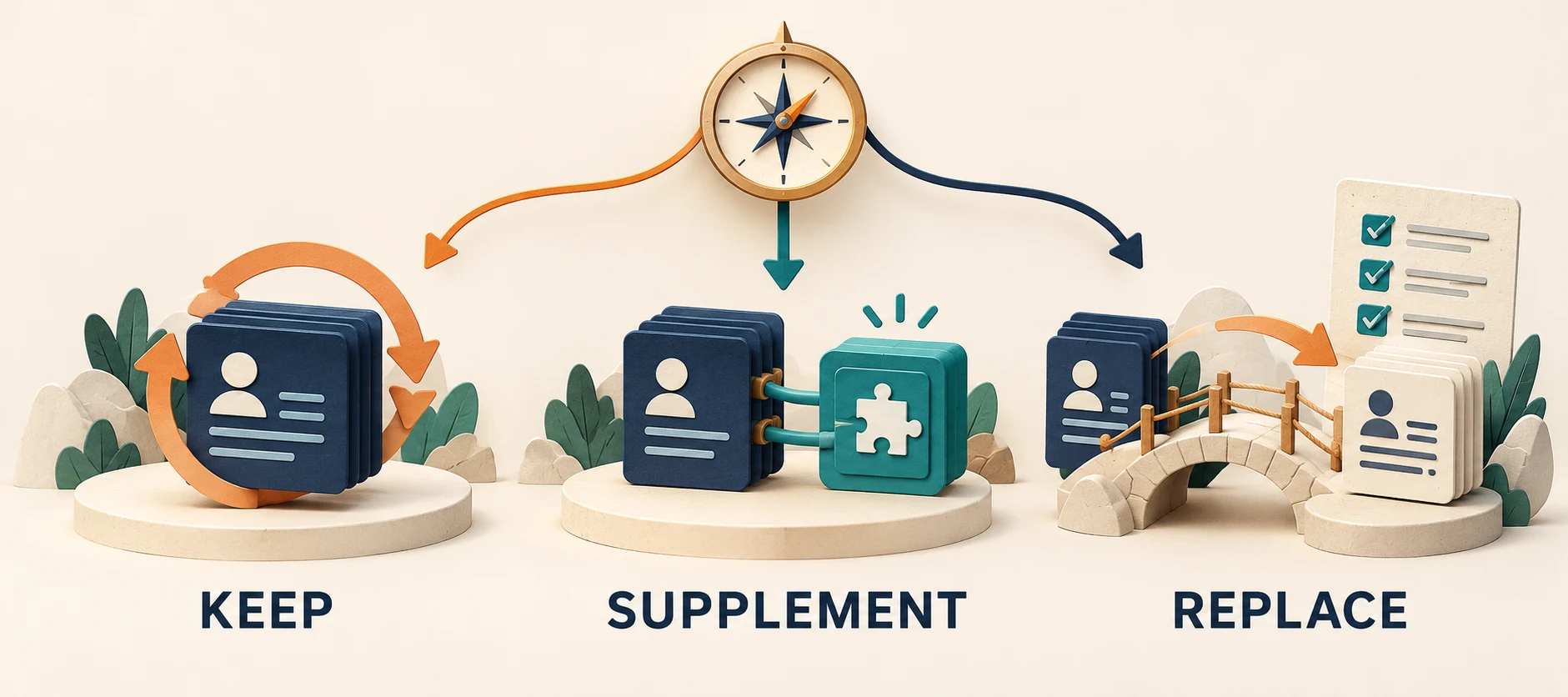
The most useful Apollo alternatives depend on what you need to change: contact coverage, phone verification, enrichment flexibility, or the work between research and an approved message. Cognism, Lusha, UpLead, Clay, and Vera are five routes worth evaluating. Each covers a different combination of jobs, so replacing your entire sales stack may be unnecessary.
This guide helps you decide what to keep, supplement, or replace. It compares documented capabilities and credit models, then gives you a practical migration test using a deliberately messy sample of account records.
Reviewed 13 October 2026. GrowthEffect develops Vera, one of the products discussed. This is a documentation-based buyer guide, not a hands-on performance ranking. The worked example is hypothetical; it does not describe customer results. Features, limits, and commercial terms depend on the plan and can change.
Which Apollo alternative should you evaluate first?
- Cognism: investigate when the missing piece is phone-verified contact data for a defined market. Test coverage for your actual roles and countries.
- Lusha: evaluate for contact discovery, enrichment, and an email-engagement workflow. Check the specific Workspace, API, and fallback-provider charging rules.
- UpLead: consider for contact sourcing and export with explicit email-verification preferences. Test how uncertain addresses and existing CRM records are handled.
- Clay: investigate when you want to configure multi-provider enrichment, research, and workflow logic. Budget for operation usage and the person maintaining the setup.
- Vera: evaluate when research, company context, outreach preparation, and connected sales tasks need to work together. It may complement a useful data source you already have.
Start with the failed task rather than the longest feature list. “We cannot find current implementation leaders in our target accounts” calls for a different comparison from “our team spends too long turning a good list into reviewed outreach.”
What are you actually replacing in Apollo?
Apollo combines several jobs. Its current documentation includes AI-assisted sequence creation, company context, scheduled agents, and signal-triggered workflows. Its workflow tools also support research, qualification, branching, record actions, and enrollment review. A fair comparison should include those capabilities in your existing plan. See Apollo’s AI Assistant documentation and workflow guide.
Write a short replacement brief before you shortlist software:
- Data: which people, companies, fields, countries, and verification standards are missing?
- Execution: which research, messaging, enrollment, or follow-up task is too slow or unreliable?
- Controls: which approval, ownership, suppression, or usage boundary must improve?
- Economics: what is the current cost of an accepted output, including review and administration?
Then demonstrate the incumbent against that brief. A configuration problem may be cheaper to fix than a migration. If you are comparing the broader category, our AI sales agent buyer guide covers the different kinds of work these products can support.
Five Apollo alternatives, with the trade-offs to test
1. Cognism: evaluate phone-verified prospect coverage
Cognism describes phone-verified mobile data and offers prospecting, AI account research, and enrichment capabilities. Its current Standard and Pro packaging has different inclusions, with on-demand mobile verification among the Pro features. The practical question is whether it can supply the relevant, current people in your target slice. A vendor-wide coverage claim cannot answer that for you.
Cost unit: the current Cognism pricing page uses credits for contact reveals. It says an already-revealed contact can be viewed again without another credit, while a job change can require another reveal. CRM enrichment may be a separate purchase or add-on.
Ask in the demo: show the verification status and current employer for the same accounts you use in Apollo. Identify which contacts still need checking, and confirm what happens when an on-demand verification request cannot improve the record. Keep any existing engagement software in the cost comparison if it remains necessary.
2. Lusha: evaluate data access and email engagement together
Lusha supports prospect and company search, enrichment, and connections to CRM tools. It also documents email sequencing through Lusha Engage, including AI-assisted writing and workflow or list-based enrollment. Buyers should therefore evaluate its outreach scope as well as its data tools.
Cost unit: Lusha’s published pricing distinguishes email and phone reveals. Its FAQ also describes separate API and waterfall-enrichment behavior. One headline credit count does not describe every way your team might use the product.
Ask in the demo: take a record from search through the exact export or email workflow you intend to use. Check the charge at each step, the handling of repeat records, and the approval boundary before enrollment. If your process needs channels beyond email, confirm those separately.
3. UpLead: evaluate export-ready contacts and verification choices
UpLead documents contact prospecting, enrichment, CRM connections, and email verification before download. This makes it relevant when your main requirement is a usable contact export for an established sales process.
Cost unit: its pricing page defines a credit around unlocking a contact for download or CRM export, including available contact fields. That is a different unit from a separately priced email, phone, or research action.
Ask in the demo: demonstrate the exclusion and verification preferences. Decide whether your process accepts accept-all addresses, which cannot be fully validated, and keep that status visible downstream. Check previous downloads and team duplicates against your CRM identity rules. A mailbox status alone does not establish current employment or account fit.
4. Clay: evaluate a configurable enrichment and research process
Clay is a candidate when the team wants to combine data sources, AI research steps, and conditional workflow logic. Its current offering also includes email execution through its own sequencer or integrations, so evaluate the actual process rather than assuming a separate sender is always required. See the current Clay offering.
Cost unit: Clay distinguishes Actions from Data Credits. Using your own provider keys can avoid Clay Data Credit charges for those providers, while Actions and external-provider costs can still apply. Its billing documentation explains the distinction.
Ask in the demo: rerun a sample with one changed qualification rule. Observe which work repeats, what it costs, how failures are handled, and who maintains the logic. Our Clay vs Apollo comparison covers that two-product decision; the Clay alternatives guide explores other enrichment approaches.
5. Vera: evaluate the work around the data source
Vera uses company context to support account research, qualification, outreach preparation, CRM tasks, and recurring sales work. You set the action permissions and review boundaries. The useful test is whether the connected process produces work your team can inspect and approve with less re-explanation or correction.
Vera’s integration catalog includes Apollo and Lusha. Keeping a productive data source while evaluating Vera for the surrounding work is therefore a valid option. Available actions depend on the service, plan, setup, and permissions; a listed connection does not guarantee every synchronization behavior.
Cost unit: Vera pricing uses per-user allowances shared in a company credit pool. Estimate the capacity needed for the assigned workload, together with any retained data subscriptions.
Ask in the demo: supply an anonymized account example, your qualification rules, and a proposed sender. Inspect the research, draft, and proposed CRM changes before authorizing execution. Compare this with your current Apollo process on the same assignment.
Should you keep, supplement, or replace Apollo?
Keep it when the required workflow is already available and a small configuration change resolves the problem. Test the assistant, review settings, and usage controls before assuming migration is the only route.
Supplement it when one gap is isolated. A second source might cover a missing market. A connected agent might help with research and handoff while Apollo remains part of the process. Include both subscriptions and the work between them in the decision.
Replace the relevant component when the alternative passes your requirements with better demonstrated economics or control, after migration and maintenance are included. Decide explicitly which jobs move and which remain. Otherwise a cheaper replacement can leave the team rebuilding a capability it used every day.
Run a same-input pilot before moving live sales work
Hypothetical example: a fictional B2B implementation-software company wants to reach implementation leaders at businesses expanding their delivery teams. It chooses 12 real public company identities and adds synthetic CRM status, ownership, and suppression fields to a test copy. This lets the team test actual coverage without exposing its live customer records. The quantities below define an exercise, not observed vendor or customer performance.
1. Include the awkward records
Put these cases into the test copy: two rows for one company under different names, an existing customer, an open opportunity with an owner, a suppressed contact, a person who changed employers, an old hiring signal, and an account with insufficient evidence.
Ask each route for at most one primary buyer and one justified backup per eligible account, source links and dates, a fit decision, accepted contact fields, and one draft email. Keep the first round draft-only. Do not let multiple test systems contact the same people.
2. Agree what counts as an accepted output
Define identity matching, eligible roles, the signal date window, email-status rules, and customer or opportunity exclusions before the test. An unknown should remain unknown. A contact record becomes usable only after it passes the checks that matter to your process.
Record these separately: contact found, current role supported, account eligible, record unique, suppression passed, draft accepted, and CRM change approved. Combining them into a single “leads generated” total hides where the work fails.
3. Compare costs with the same denominator
Use attributable subscription and usage cost, plus agreed review labor, divided by accepted unique records. Allocate shared subscription costs consistently. Track migration effort separately so a short pilot does not make switching look free.
For illustration only, suppose Route A costs $60 for the batch and produces 10 accepted records. Route B costs $48 and produces 6. The resulting cost per accepted record is $6 for A and $8 for B. These invented numbers show the arithmetic; they are not prices or results for any product in this guide.
For a research-to-draft comparison, also record the time and corrections needed to approve the complete deliverable. Proprietary credits cannot be compared like a common currency. Apollo’s usage documentation, for example, distinguishes chargeable actions and plan-specific cases. Use the actual account log rather than an assumed universal export rate.
4. Change one rule and inspect the boundary
Ask the systems to prioritize implementation expansion over general sales hiring. Check whether stale evidence is removed and pending drafts change accordingly. In a sandbox or supervised demo, prepare a CRM update while preserving the current owner. Test the pause before enrollment and the route for a failed write.
A successful pilot establishes fit for that sample. It does not prove universal accuracy, legal suitability, deliverability, or future meeting volume. If you later approve a live pilot, track positive replies, qualified conversations, booked meetings, attended meetings, and opportunities separately.
What should your Apollo migration checklist preserve?
- Identity and ownership: retain stable account/contact identifiers, current owners, lifecycle stages, and matching rules.
- Suppression: preserve opt-outs and exclusions across the source, CRM, and sending tools. Test an opt-out arriving between approval and send.
- History: keep relevant activity and conversation context so an active deal does not restart as a cold prospect.
- Field authority: specify which system may update each field. Protect newer rep notes from an older enrichment result.
- Pending work: document who owns replies, paused sequences, scheduled tasks, and exceptions during the transition.
- Commercial dependencies: review seat minimums, remaining commitments, export access, unused-credit treatment, and any tools still needed.
- Recovery: keep a reviewable export or backup where permitted and define a rollback before changing the live process.
Move one bounded workflow after the test passes. Confirm record counts and a sample of relationships before expanding. Avoid running overlapping outbound sequences merely to accelerate a comparison.
Frequently asked questions
What is the best Apollo.io alternative for a small team?
Start with the constraint. Test Cognism, Lusha, or UpLead for a specific data gap; Clay for a configurable enrichment process; and Vera for connected research and sales work. Compare the smallest plan that supports the whole assignment, including review effort and retained tools. There is no evidence-based universal winner from feature lists alone.
Can you keep Apollo and use another product?
Yes, when the proposed connection and commercial terms support the workflow. Define which system owns data, approvals, and execution. Keeping Apollo can be sensible if its data or engagement process works well and the new product solves a separate, demonstrated problem.
Which Apollo alternative has the most accurate data?
This guide does not establish an accuracy ranking. Test a representative slice of your market, verify current roles and field status, and inspect how unknowns are reported. Database size and a vendor’s aggregate accuracy claim are insufficient evidence for your particular audience.
How do you test whether Vera fits your existing stack?
Bring a synthetic or anonymized example and one task your team wants to improve. Book a Vera demo to inspect the research, review boundary, and handoff together. You can also review the outbound workflow and current pricing before deciding whether to keep, supplement, or replace part of your setup.
Work with GrowthEffect AI
GrowthEffect AI helps B2B teams automate inbound response, outbound pipeline generation, qualification, CRM updates, and sales handoff.