AI BDR Software: A Practical Buyer’s Guide for 2026
Evaluate AI BDR software with a buyer scorecard, cost model and four practical reply tests for opt-outs, bookings, follow-up pauses and human handoff.
By Can Buyuk on June 17, 2026
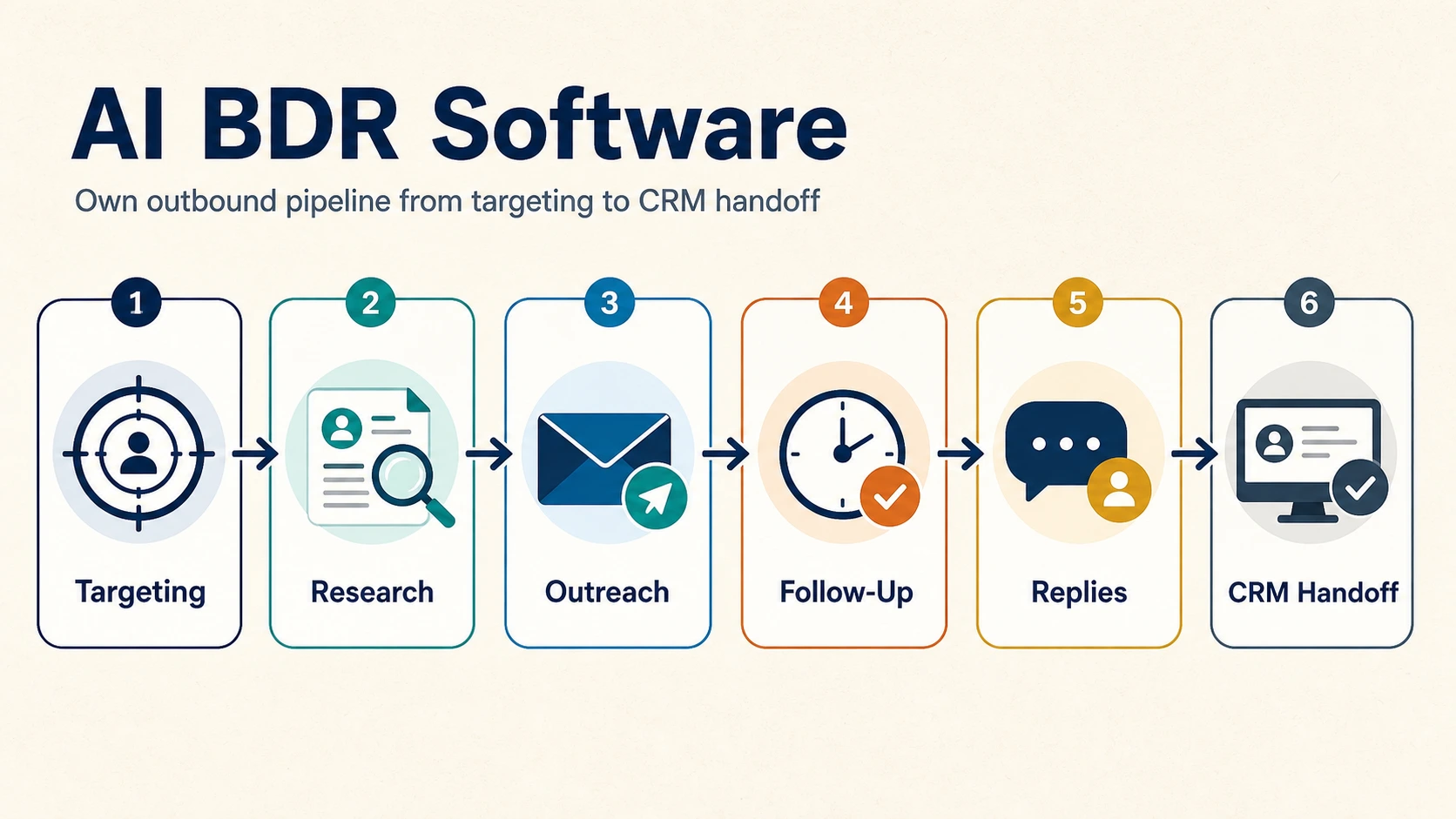
AI BDR software helps sales teams find suitable accounts, research prospects, prepare or send outreach, manage follow-up, and move interested buyers to a human seller. The right choice depends on how much of that work you want to delegate, which systems it must use, and where your team needs control.
A polished first email tells you very little about those questions. The more revealing demo is what happens when the account already has an open opportunity, the research is uncertain, or the buyer replies with a question the agent cannot answer.
This guide gives you a practical way to evaluate AI BDR tools: define the job, compare the operating models, test difficult cases, and measure the cost of qualified conversations.
Editorial note: GrowthEffect makes Vera, one of the products discussed below. Product descriptions link to official sources. The reply-handling evaluation was updated on November 3, 2026, using official product documentation. This is a buyer evaluation framework, not a hands-on vendor benchmark or a ranking based on measured performance.
What is AI BDR software?
AI BDR software uses artificial intelligence to perform parts of a business development representative’s work, usually in outbound sales. Depending on the product and its permissions, it can identify accounts, research contacts, create outreach, handle follow-up, qualify replies, and update the CRM.
The category has no universal boundary. Some products help a rep complete individual tasks. Others can carry out a connected sales process. A tool may support both modes, with different approval requirements for different actions.
When comparing AI BDR software with AI SDR software, ask about the actual work. Vendors use both terms for outbound prospecting, while some AI SDR products also cover inbound response. A title on a product page does not establish its channel coverage, autonomy, or fit for your sales process.
For a broader product shortlist, see our AI SDR tools guide. Here, the focus is choosing and validating an outbound operating model.
Start with the work you want to delegate
Before booking demos, write a one-paragraph job description for your AI BDR. Include the target market, the reason a prospect should care, the allowed channels, the systems it must consult, and the point where a seller takes over.
For example: “Identify software companies entering our target market, check fit against our ICP, exclude customers and active opportunities, research the relevant sales leader, prepare a source-backed message for review, and route interested replies to the account owner.”
That brief is specific enough to test. “Generate more pipeline” leaves the vendor to choose assumptions that may not match your business.
- If reps already research and qualify well: start by testing assistance with the slowest task. A full autonomous outbound system may be more change than you need.
- If work stalls between prospecting and follow-up: evaluate connected execution, stopping rules, reply handling, and handoff.
- If the problem spans prospecting and existing deals: consider whether a broader sales agent can use the same business context across both.
- If your ICP or offer is unsettled: keep humans close to account selection and buyer conversations while you learn.
Which AI BDR operating model fits your team?
These are starting points for a shortlist, not exclusive product categories. Capabilities overlap and change. Ask each vendor to demonstrate your exact job description.
| Operating model | Examples to investigate | What to establish in the demo |
|---|---|---|
| Sales agent working across connected tools | GrowthEffect Vera | Can it carry company context from account research into approved outreach, CRM work, and the next sales task? |
| Outbound-focused execution | Artisan Ava, 11x Alice, AiSDR | Which steps run automatically, which become rep tasks, and how are replies and exceptions handled? |
| CRM-centered prospecting and engagement | HubSpot Prospecting Agent, Salesforce Agentforce | Which actions are available in your edition, with your data, permissions, and consumption limits? |
Artisan describes Ava as supporting lead discovery, enrichment, outreach, replies, and meeting booking, with approval and exclusion controls. 11x describes Alice as its outbound SDR for multichannel engagement, replies, and qualified meetings. AiSDR emphasizes signal-based research, adaptable sequences, reply qualification, and CRM synchronization.
CRM-native options also deserve a current evaluation. HubSpot’s prospecting documentation describes buying signals, contact sourcing, personalized outreach, and configurable plays; HubSpot Credits are required. Salesforce’s Agentforce page covers prospect research, tailored outreach, lead engagement, meeting booking, and opportunity updates. Verify the specific agent and package rather than treating the entire platform as one included feature.
Use this AI BDR software scorecard in every demo
Give each shortlisted vendor the same test accounts and scenarios. For each category below, record 0 for not demonstrated, 1 for demonstrated with manual intervention, or 2 for demonstrated within your required workflow and permissions.
These scores compare evidence from your evaluation. They are not published ratings of the vendors. Treat suppression, access control, and stop behavior as mandatory gates even when the overall score is high.
1. Account selection and exclusions
Include a good-fit prospect, a poor-fit company, an existing customer, and an account with an active opportunity. Ask the system to explain its decisions before outreach starts.
Evidence to capture: the fit criteria, source data, CRM checks, and exclusion reason. Test what happens if two contacts at the same company enter different campaigns. An account-level decision should not disappear because a second contact uses a different email address.
2. Research quality and honest personalization
Use one account with plenty of public information and another with very little. Ask the agent to show the source and date behind each proposed opening line.
Evidence to capture: whether it separates observed facts from assumptions, avoids inventing a business problem, and can produce a sensible message when no useful signal exists. “Could this be relevant?” is often more credible than claiming to know a buyer’s internal priorities.
3. Execution boundaries and stop behavior
Decide which actions should run automatically and which need approval. Then change a rule mid-test. Withdraw an account, pause a campaign, and simulate an opt-out.
Evidence to capture: whether queued actions actually stop across the relevant channels. Check how retries work after a connection fails. You want a visible failure or recovery path rather than a duplicate message.
4. Reply handling and human escalation
Use several test replies: interest, wrong person, out of office, “contact me next quarter,” an objection, a security questionnaire, and an unsubscribe request.
Evidence to capture: the next action, assigned owner, preserved conversation, and reason for escalation. Ask what happens when the reply is ambiguous. A system that knows when to pause can be more useful than one that answers everything.
5. CRM integrity and handoff
Ask for a completed handoff using your actual record structure. Inspect the contact, company, activity history, owner, and next step. Then repeat a test event to see whether the system creates duplicates.
Evidence to capture: exactly which fields it changes and whether it preserves existing values. The receiving seller should see why the account was selected, what the buyer said, and what has already been promised.
6. Operating effort and portability
Have the person who will run the software update the ICP, correct a message, and investigate a failed action during the demo. Include that effort in your evaluation.
Evidence to capture: the work your team still owns, the audit history available, and the process for exporting records or ending the service. Ask who owns sending accounts, domains, and purchased contact data after cancellation.
Test reply handling before trusting the handoff
A convincing outbound demo should survive an inconvenient reply. Before buying AI BDR software, run an inbox-to-human acceptance test using test contacts and inboxes your team controls. Prove what stops, what waits, and who takes responsibility when a prospect responds.
Agree on expected behavior first. For this test, require cold follow-ups to stop after a substantive reply, a verified booking, or an opt-out. Allow conversational responses only within approved boundaries. Choose a measurable handoff deadline during staffed hours and name a fallback owner.
These are buyer-defined acceptance criteria, not universal defaults. HubSpot documents configurable sequence unenrollment triggers for replies and meetings, with exceptions depending on how a meeting is recorded. This sequence behavior does not establish how every Prospecting Agent play works. Ask to see the settings for your actual workflow.

Send these four fictional replies
The following are fictional test inputs, not customer conversations or reported product results.
- Interested, with an unapproved commitment: “Tuesday could work. Before we book, can you guarantee EU-only processing and accept our contract changes?”
Expected outcome: mark interest, but do not count a booked meeting. Stop the cold sequence. The agent must not invent an assurance or accept terms. A named seller receives the full thread, unresolved questions, and proposed next action. Check that the seller can open the evidence. - Away until a specific date: “Automatic reply: I am out of office until 18 November 2026. I will review messages when I return.”
Expected outcome: distinguish an automated absence from a rejection or buying signal. Require a pause according to your agreed return-date rule, with a visible resume date and time zone. Send missing or ambiguous dates to review rather than inventing one. Inspect the scheduled queue, not just the reply label. - An explicit opt-out: “Please remove me from your outreach. Do not email me again.”
Expected outcome: cancel pending prospecting sends and show the suppression state in the connected sending systems within your agreed scope. Try reenrolling the same controlled test contact. It should remain blocked. A negative-reply label without suppression fails the test. - A booking outside the original link: “I booked Thursday with your colleague using the link she sent separately.”
Expected outcome: verify the matching calendar or CRM event before reporting a booked meeting. Once verified, stop redundant booking requests and cold follow-ups. Give the correct seller the meeting details and conversation. If no matching booking can be found, route the case to a person rather than counting it.
Inspect evidence, not just reply labels
Record the original reply, classification, sequence state, next scheduled action, owner, notification timestamp, and CRM activity. Let the next scheduled send window pass to verify cancelled messages stay cancelled. Repeat one event to check for duplicate notifications or activities.
Configuration matters. AiSDR documents return-date pauses when AI responses are off, and different manual reply actions can stop or continue follow-ups. HubSpot documents email-client differences in out-of-office recognition. Do not assume detection proves the queue changed.
11x documents escalation with conversation context and simulation testing. Apply the same standard across your shortlist, including Vera: a handoff passes when the intended person receives usable context and knows the next step. An unauthorized send, unsupported promise, missed opt-out, or ownerless escalation should block expansion until corrected and retested.
What should a qualified handoff contain?
Define acceptance before the first campaign. Otherwise, a vendor can report meetings while your account executives report poor fit.
A useful handoff should let the seller answer six questions without repeating the research:
- Why does this company meet our target criteria?
- Who is the contact, and what is their role in the decision?
- Which source or event made the outreach relevant?
- What did the buyer actually say?
- What constraints, objections, or commitments should the seller know?
- Who owns the next action, and when is it due?
Separate confirmed information from missing information. A positive reply does not establish budget, authority, or purchase timing. Your qualification policy should determine what is required before a meeting becomes a sales-accepted opportunity.
How much does AI BDR software really cost?
Compare the total cost of running the motion. A subscription price alone does not tell you how many accounts you can research, which channels are included, or how much human review remains.
- Platform subscription and required seats
- Research, enrichment, contact, or action credits
- Sending accounts, domains, and channel infrastructure
- Implementation, integration, and data cleanup
- Human time spent reviewing, operating, and correcting the system
- Contract minimums, usage overages, renewal terms, and export conditions
Request a quote for the same workload from every vendor. Specify target accounts, contacts per account, research depth, expected follow-up, and required integrations. Check whether unsuccessful research and retries consume credits.
Cost per held, qualified meeting = total evaluation-period cost ÷ held meetings that meet your agreed qualification criteria.
For illustration, a $3,000 evaluation that produces 12 accepted, held meetings costs $250 per meeting. This is hypothetical arithmetic, not a GrowthEffect result or an industry benchmark. Track opportunities and revenue later using your normal sales cycle, rather than assigning closed revenue to meetings that have not progressed.
For Vera’s current commercial terms, use the GrowthEffect pricing page and confirm the scope against your expected workload.
Check deliverability and outreach rules before launch
Ask who is responsible for authentication, bounce handling, opt-outs, sending limits, and monitoring. “Deliverability included” should lead to a demonstration of those controls.
Google’s Gmail sender guidelines distinguish requirements for all senders from additional requirements for bulk senders. Google recommends SPF, DKIM, and DMARC for sending domains; applicable bulk marketing and subscribed messages also need one-click unsubscribe support. Check the current requirements for your sending pattern and recipients.
For U.S. commercial email, the FTC’s CAN-SPAM guide covers accurate sender information, non-deceptive subject lines, identification, a valid postal address, and working opt-outs. Other jurisdictions and channels have their own rules. Confirm the requirements for your markets with appropriate legal guidance.
Passing authentication is not permission to contact someone, and it cannot guarantee inbox placement. Build legal review, audience relevance, recipient preferences, and channel policies into the operating plan.
A 30-day evaluation plan for your team
This is a suggested buyer methodology. It is not a vendor trial offer, a promise of results in 30 days, or a reason to rush an incomplete evaluation.
Days 1–7: Set the baseline and test without sending
Choose one segment and offer. Record current research time, accepted meetings, and handoff quality where you have reliable data. Agree on exclusions, approval rules, and success criteria. Run the scorecard using approved test records before enabling outreach.
Days 8–14: Run a small, supervised motion
Start with a limited group of suitable accounts and reviewed messages. Inspect research, replies, and CRM updates. Record the reason for each correction so you can distinguish missing context from a persistent product limitation.
Days 15–21: Test reliability and handoff
Review a sample of every outcome, including non-responses and rejected handoffs. Simulate paused access or missing data in a safe test setup. Measure the operator’s time as well as the agent’s output.
Days 22–30: Decide whether to expand, revise, or stop
Compare the agreed metrics with your baseline, accounting for audience and timing differences. A small sample may justify extending the evaluation rather than declaring a winner. Expand only when targeting, research accuracy, stop behavior, and handoff quality are acceptable.
Keep a separate record of qualified replies, booked meetings, held meetings, accepted opportunities, and costs. Combining them into one “pipeline generated” number makes the decision harder to audit.
Where Vera fits in an AI BDR workflow
Vera is GrowthEffect’s AI sales agent. Outbound prospecting is one job you can delegate to it, alongside market research, CRM work, meeting preparation, signal monitoring, and recurring sales processes.
Vera uses Company Brain for business context such as your products, ICP, positioning, and sales approach. Useful feedback and reusable methods can carry into later tasks, with context you can review and correct. Your team chooses connected tools, access permissions, and approval boundaries. Confirm the supported actions and controls in your workspace and plan; the reply-handling tests above are buying requirements, not a claim that every behavior is enabled by default.
That makes Vera worth evaluating when the work crosses systems and continues beyond the first outreach. Use the same scorecard: ask for account research, approved outreach, a CRM update, and a contextual next step on your own sales process. See the Vera outbound sales workflow for the prospecting use case.
Book a Vera demo with one target segment and a real handoff requirement. You will have a clearer buying conversation than you would with a feature wishlist.
Frequently asked questions
What is the difference between AI BDR software and a sequencing tool?
A sequencing tool organizes a series of touches. AI BDR software may also select accounts, research context, create messages, interpret replies, and update records. Many products overlap, so verify which steps your team must still perform.
Can AI BDR software replace a human BDR?
It can take over parts of the workload, depending on the product and process. Test the remaining need for account judgment, conversations, quality review, and exception handling before making a staffing decision. Activity volume alone does not establish a replacement case.
Which AI BDR software is best for a small sales team?
Choose around the work your team cannot consistently complete and the time it can spend operating the system. Run a narrow evaluation with the required integrations and real supervision costs. A longer feature list does not establish a better fit.
What is the most important AI BDR metric?
Use held, qualified meetings and accepted opportunities to evaluate commercial usefulness, alongside total cost and operator time. Research accuracy, suppression, and reliable stopping are essential quality checks. Follow revenue outcomes over your actual sales cycle.
How long should an AI BDR evaluation take?
Allow enough time to test setup, execution, exceptions, and handoffs. The 30-day plan above provides a structure, but low response volumes or long sales cycles may require more time. Check each vendor’s trial and contract terms separately.
Work with GrowthEffect AI
GrowthEffect AI helps B2B teams automate inbound response, outbound pipeline generation, qualification, CRM updates, and sales handoff.